Birthday Rewards Integration
When you combine AL CustomerMetaSync with a loyalty program app, you can grant rewards such as points on customers' birthdays.
In this best-practice guide, we explain how to build the following setup using AL CustomerMetaSync:
- Setup for using birthdays with the VIP loyalty program
- Setup for using birthdays with Dokopoi
- Setup for using birthdays with MR.POINT
Common configuration
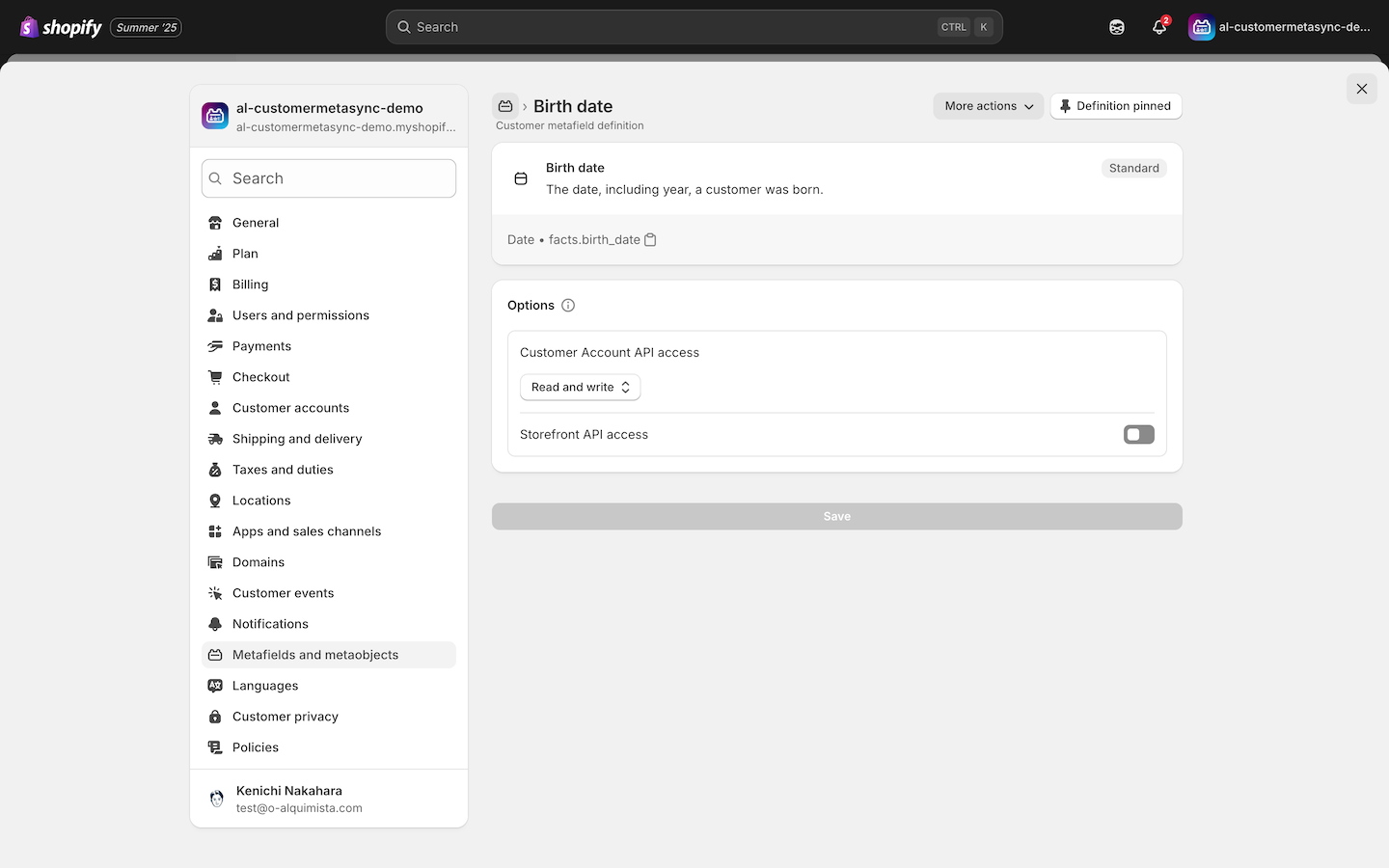
To store the birthday information, create the following customer metafield:
From the Shopify admin, go to Settings > Metafields and metaobjects > Customers and add a new definition.
- Date field – To store birthday
Shopify provides a standard metafield definition for birthdays. This field is automatically created when using tools like Shopify Forms.
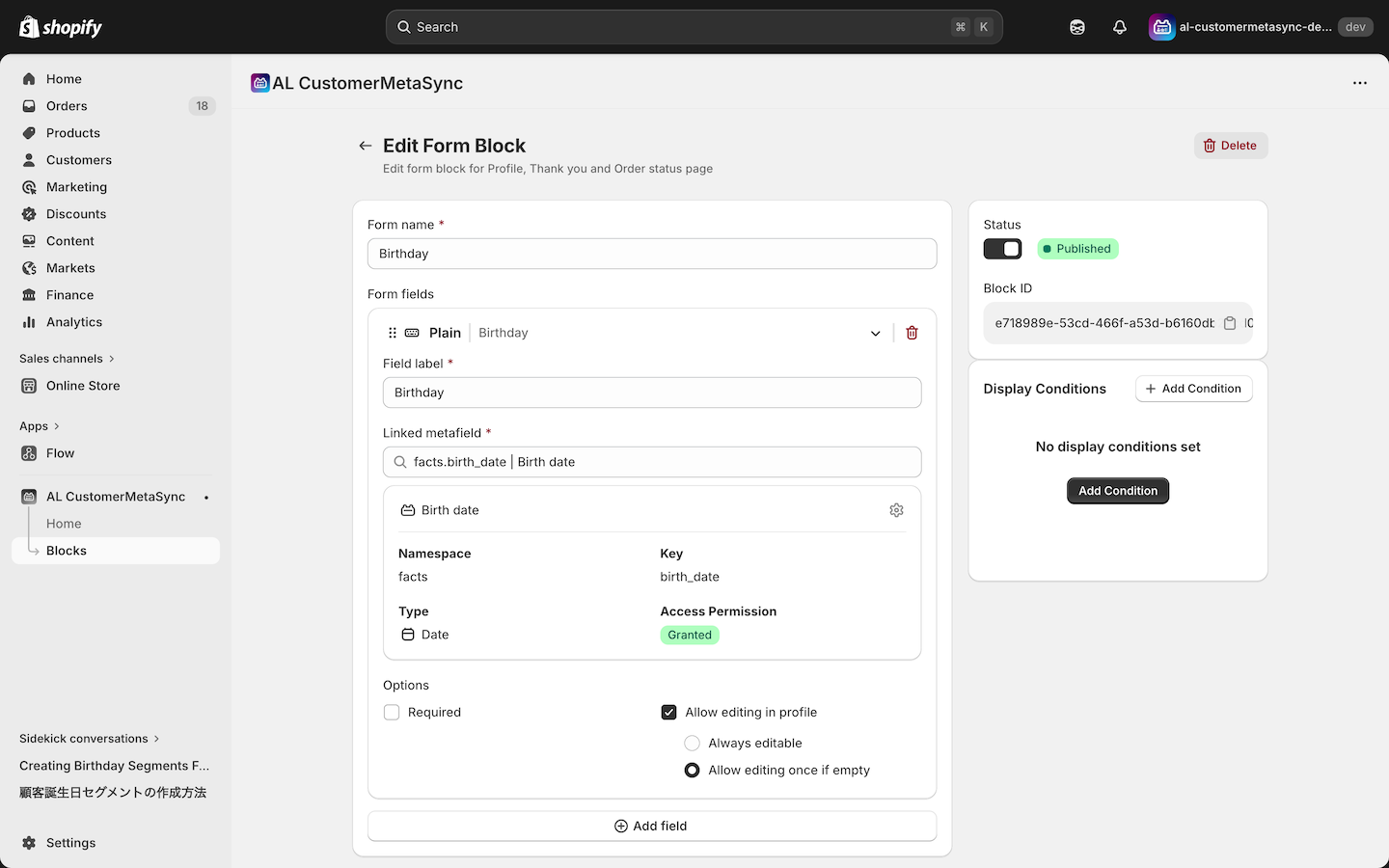
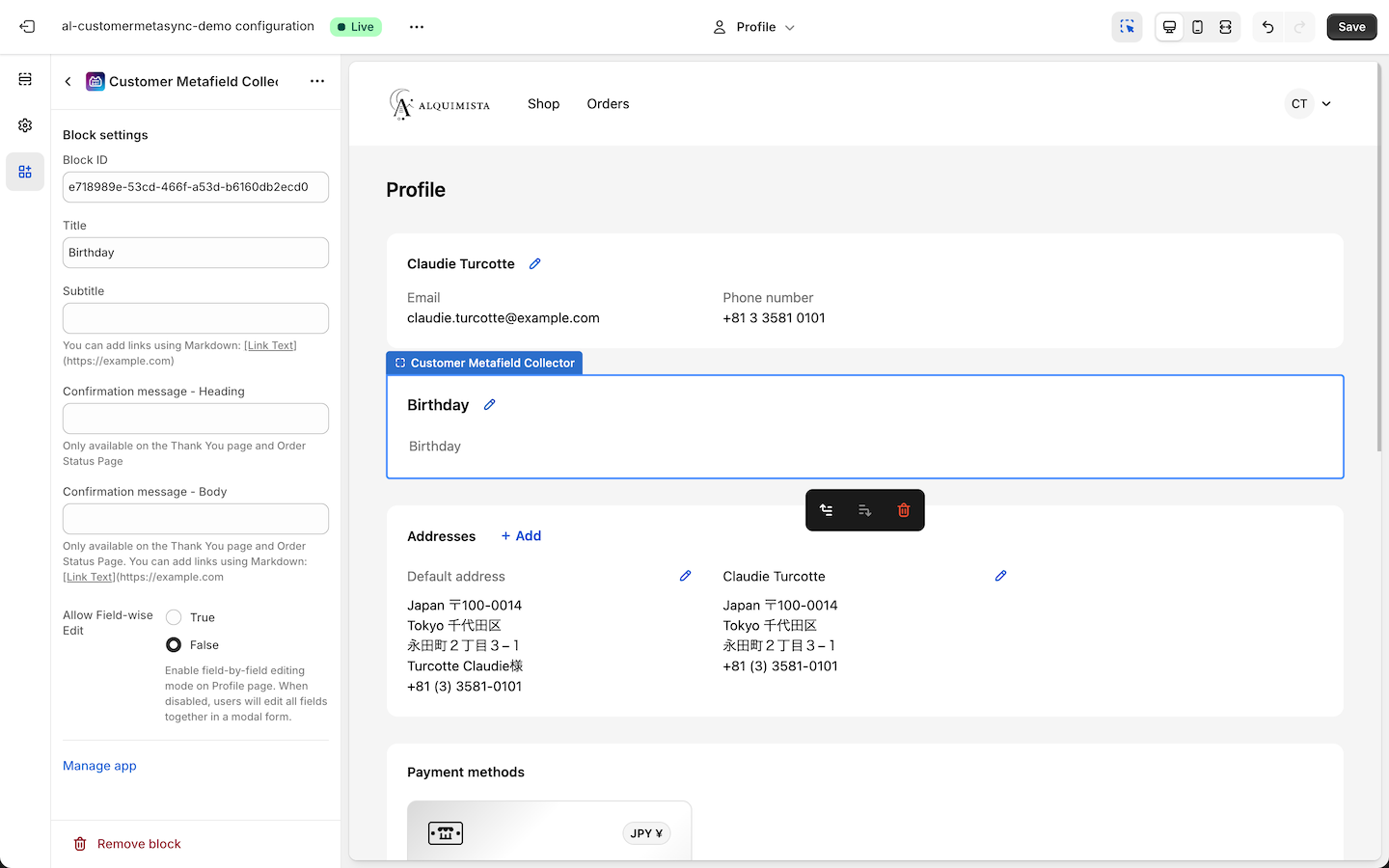
Place the birthday form on the pages where you want to collect birthday data, such as the profile page, thank you page, or order status page. The following is an example on the profile page:
How to configure VIP birthday rewards
To grant birthday points in the VIP loyalty program, the birthday must be stored as a customer tag in a specific format.
For details, see the Stack VIP loyalty program docs: Birthday points
Download the following sample Flow (.flow) files and import them into Shopify Flow. They will create the appropriate VIP birthday tags when a birthday is submitted.
Click one of the links below to download the Flow (.flow) file for each scenario.
The following is the Flow configuration used when a birthday is submitted via the profile page and a VIP birthday tag is added.
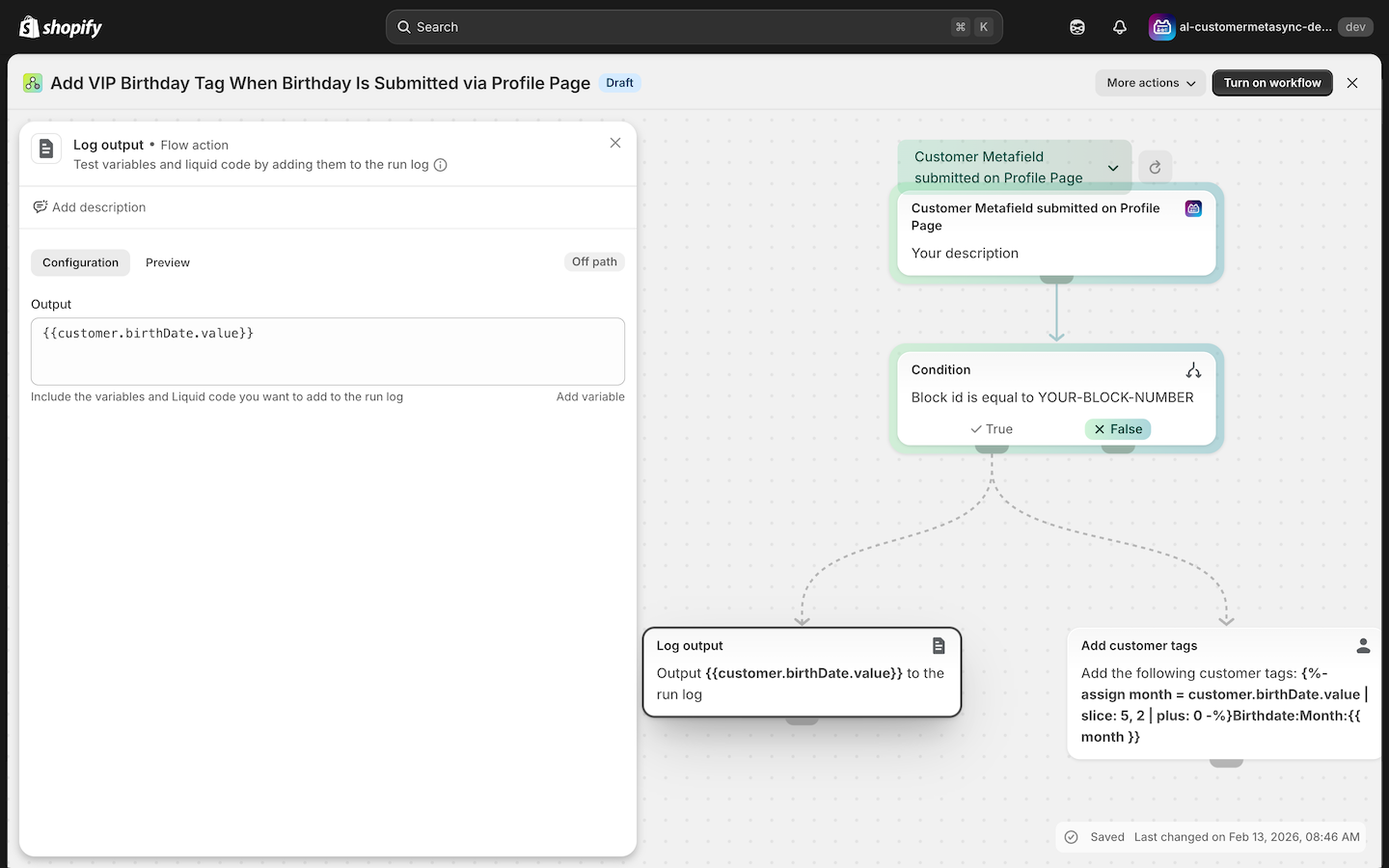
Replace the Block ID with the Block ID issued by AL CustomerMetaSync in your own store.
To use metafield data in Flow, you need to assign an alias. If you are not sure how to configure aliases, follow these steps:
- Add variable > customer > metafield > select your birthday metafield > select Birth date
- Set an alias (for example,
birthDate) - You can access the birthday with
{{customer.ALIAS.value}}
For Add customer tags, use the following Liquid:
{%- assign month = customer.ALIAS.value | slice: 5, 2 | plus: 0 -%}Birthdate:Month:{{ month }}
⚠️ If you set the alias name to birthDate, use the following:
{%- assign month = customer.birthDate.value | slice: 5, 2 | plus: 0 -%}Birthdate:Month:{{ month }}
How to configure Dokopoi birthday rewards
In Dokopoi, you can grant birthday points by creating a segment based on the birthday metafield, without needing to use Flow.
For more details, see Dokopoi docs: Grant birthday points.
How to configure MR.POINT birthday rewards
With MR.POINT, you can award points on a customer's birthday by using specific metafields in conjunction with Shopify Flow.
To implement a birthday campaign in MR.POINT, you must create a metafield named mrpoint.birthday to store the birthday data.
As outlined in the VIP procedures above, please place the birthday form you created in the locations where you wish to collect data, such as the Profile page, Thank You page, or Order Status page.
For more details, please refer to the MR.POINT Birthday Point Award Settings guide